
As Amazon Associates, we earn from qualifying purchases. This means we may receive a small commission at no extra cost to you if you click through and make a purchase.
Choosing an interactive display can feel daunting when you are shopping for your own home office or trying to select a helpful present for a family member. An acer touchscreen monitor bridges the gap between traditional viewing and direct physical navigation, allowing you to tap, pinch, and scroll through documents, family photos, or creative projects just like you would on a mobile device. First-time shoppers often struggle to balance portability with permanent screen space, wondering whether a compact panel that slips into a backpack makes more sense than a substantial desktop screen anchored to a work table. Understanding how physical screen size, video inputs, and mounting options affect daily comfort is the first step toward choosing the best acer touchscreen monitor for everyday tasks.
Acer organizes its interactive display catalog into distinct categories tailored to specific work habits. The PM series focuses on slim, mobile productivity with lightweight panels powered directly by a computer, making it simple to build a dual-display workstation alongside an acer touchscreen laptop while traveling or visiting a coffee shop. In contrast, the UT series represents a dedicated acer desktop touch screen lineup, offering wider viewing glass, sturdy multi-angle reclining stands, and expanded port varieties engineered for stationary desk setups. By examining how these two design philosophies shape screen size, input cables, and touch responsiveness, our acer touchscreen monitor comparison will help you determine which acer touchscreen monitor to buy without getting tangled in confusing technical terminology.
Acer Touchscreen Monitors Lineup at a Glance
| Model | Form Factor & Screen Size | Refresh Rate & Display Panel | Key Stand & Connection Features |
|---|---|---|---|
| Acer 15.6in FHD 1920×1080 IPS 60Hz (PM161QT) | 15.6-inch Portable (0.5″ thin, 2.73 lbs) | 60Hz IPS LCD (800:1 contrast) | Single-cable USB-C, kickstand case, VESA 75x75mm |
| Acer 21.5in FHD 1920×1080 IPS 75Hz (UT222Q) | 21.5-inch Desktop (2″ deep, 19.3″ wide) | 75Hz IPS LED (1,000:1 contrast) | Smooth tilt stand, 7H glass, HDMI, DP, VGA, USB |
| Acer UM.HW2AA.001 27 in. IPS Touch (UT272) | 27-inch Desktop (2.6″ deep, 14.5 lbs) | 75Hz IPS LED (360 nit brightness) | Full HD wide format, HDMI, DisplayPort, 4ms response |
| Acer 15.6in FHD 1920×1080 IPS 60Hz (PM161Q B1) | 15.6-inch Portable (0.41″ thin, 1.52 lbs) | 60Hz IPS LCD (2000:1 contrast) | 0° to 90° tilt stand, USB-C, HDMI 1.4 port |
Figures as published on the product listings.
The Models in Detail
Acer 15.6in FHD 1920×1080 IPS 60Hz
- Best for Travel setups prioritizing featherlight dual-screen display
- Color Black
- Weight 3.5 pounds
- Dimensions 0.41 x 13.99 x 8.7 inches

Our score: 8.0/10
Pros
- Ultra-lightweight at just 1.52 pounds
- High 2000 to 1 contrast ratio
- Flexible 0 to 90 degree tilt stand
- Dedicated HDMI 1.4 port and USB-C
Cons
- Listing omits touch specification details
- Standard 60Hz refresh rate ceiling

Our score: 8.0/10
Best for: Mobile professionals needing on-the-go laptop touch
Pros
- Responsive 10-point touch screen
- Single-cable USB-C video and power
- Slim lightweight portable build
- Included tiltable kickstand case
Cons
- Modest 200 nit screen brightness
- Limited 800 to 1 contrast ratio
The Acer 15.6in FHD 1920×1080 IPS 60Hz portable monitor (model PM161QT bmiuuux) is engineered for users who need interactive screen space wherever their work takes them. Built around a 15.6-inch Full HD 1920 x 1080 widescreen IPS panel, this display delivers crisp imagery with a 16:9 aspect ratio and consistent 170-degree viewing angles. The panel features an intuitive 10-point touch screen that integrates directly with Windows 11 touch controls, allowing you to flick through documents, manipulate presentation slides, or sketch with your fingertips. Its screen offers a matte anti-glare finish, an 800:1 contrast ratio, and a brightness rating of 200 candela per square meter, supported by Vibrant Images enhancement and Adaptive-Sync support to keep video playback smooth and tear-free.
Portability is the defining characteristic of this acer portable touchscreen monitor. Measuring just 0.5 inches thin and weighing 2.73 pounds, it slides easily into standard laptop bags alongside your computer. Acer emphasizes a clutter-free setup by utilizing a single USB-C cable solution that transfers display signal, handles touch data, and supplies electrical power simultaneously from a compatible laptop or smartphone. When you unpack at a desk, the included protective case doubles as an adjustable kickstand to prop the screen upright. The unit also includes two integrated 1-watt speakers for sound output and features VESA 75 x 75mm mounting compliance if you prefer attaching it to a compact desktop bracket.
This model is the ideal choice for remote professionals, traveling consultants, and college students who want a responsive acer 15.6 touch monitor that deploys in seconds without packing extra power bricks. It gives way to Acer’s UT series desktop models when you need a permanently anchored workstation with heavier glass protection, analog video inputs, or an expansive screen size that stays put in an office.
Acer 21.5in FHD 1920×1080 IPS 75Hz
- Best for Home office desks needing sturdy touch controls
- Color Black
- Size 21.5-inch
- Weight 9.85 pounds
- Dimensions 19.3 x 1.98 x 11.79 inches
Our score: 8.0/10
Pros
- Durable 7H scratch-resistant glass
- Wide smooth-tilt desktop stand
- Multiple ports including HDMI DisplayPort and VGA
- AMD FreeSync smooth 75Hz refresh
Cons
- Thick desktop frame not portable
- Requires separate USB connection for touch
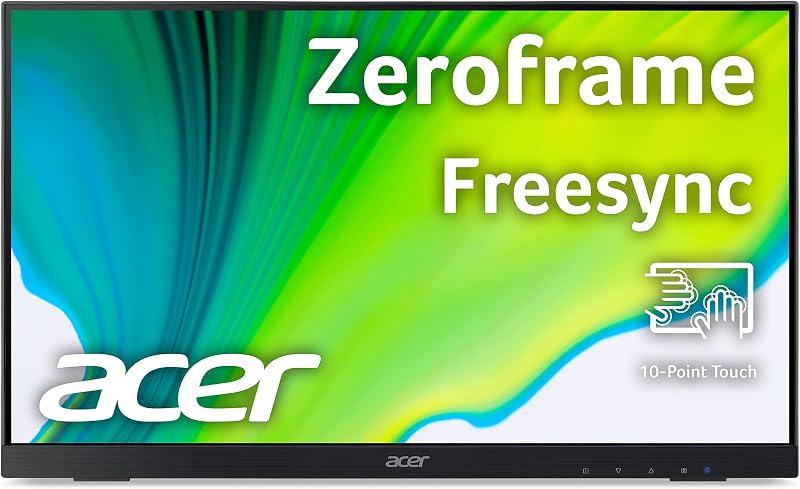
The Acer 21.5in FHD 1920×1080 IPS 75Hz office monitor (model UT222Q bmip / UM.WW2AA.001) brings touch interactivity into a dedicated desktop footprint. Featuring a 21.5-inch Full HD 1920 x 1080 IPS LED display, this unit provides wide 178-degree viewing angles and a 1,000:1 contrast ratio with a matte finish. Designed specifically to work with Windows 10 touch features, the display supports 10-point fingertip navigation for web browsing, digital painting, and quick file management. The surface is built with 7H scratch-resistant glass, providing exceptional surface durability against fingernails, styluses, and continuous commercial or family use.
Ergonomics and connectivity are central to the design of the acer ut222q. It comes equipped with a large-range tiltable stand that smoothly reclines across wide angles, letting you position the display almost like an drafting easel for comfortable downward tapping and writing. Around the back, the monitor offers an unusually broad selection of video ports, including one DisplayPort, one HDMI port, and one legacy VGA port, alongside a USB port to route the touch signal to your computer. Acer includes both the HDMI and USB cables in the box. Audio is handled by two built-in 2-watt speakers, while visual fluidity is enhanced by AMD Radeon FreeSync technology, a 75Hz refresh rate, and a 5ms gray-to-gray response time.
This stationary model is best suited for home office workers, receptionists, retail check-in desks, and students pairing their monitor with an acer laptop 32gb ram setup. Because it weighs considerably more than the PM series and requires dedicated desk space, it yields to portable models for travel, while yielding to the 27-inch model for users who require a wider viewing canvas for detailed spreadsheets or shared group presentations.
Acer UM.HW2AA.001 27 in. IPS Touch
- Best for Users wanting a large interactive touch canvas
- Color Black
- Weight 14.5 pounds
- Dimensions 2.6 x 24.1 x 14.4 inches

Our score: 9.6/10
Pros
- Expansive 27-inch viewable workspace
- Bright 360-nit Full HD panel
- Fast 4ms response with Adaptive Sync
- Dual modern inputs with HDMI and DisplayPort
Cons
- Glare glossy finish shows reflections
- Heavy 14.5-pound desktop footprint
The Acer UM.HW2AA.001 27 in. IPS Touch display monitor (series UT2 / model UT272) provides the largest visual workspace in this brand comparison. Built with an expansive 27-inch viewable Full HD 1920 x 1080 IPS LED panel, this monitor gives you ample physical area for comfortable multi-touch interaction. The screen features a glare surface finish designed to enhance visual depth, accompanied by a dynamic contrast ratio rated at 100,000,000:1. The panel reaches an impressive brightness level of 360 nits, ensuring that images and presentation graphics remain vivid and readable across bright office spaces.
Performance on the acer ut272 is tailored for smooth, responsive computing. It operates at an upgraded 75Hz refresh rate paired with Adaptive Sync support and a rapid 4ms response time, which minimizes motion blur and screen tearing during multimedia playback and interactive navigation. The chassis measures 24.1 inches wide and 14.4 inches high, with a substantial weight of 14.5 pounds that anchors firmly to desk surfaces. Connectivity is provided through modern digital inputs, including HDMI and DisplayPort connections, while integrated internal speakers deliver direct audio without demanding external desktop speakers.
This monitor is specifically suited for visual presenters, point-of-sale operators, creative project editors, and users who want an expansive acer desktop touch screen that multiple people can interact with simultaneously. It gives way to the smaller 21.5-inch UT model if your desk space is restricted, and gives way to the PM series entirely if you require battery-friendly mobility or single-cable laptop convenience.
Acer 15.6in FHD 1920×1080 IPS 60Hz
- Color Black
- Weight 3.5 pounds
- Dimensions 0.41 x 13.99 x 8.7 inches
The Acer 15.6in FHD 1920×1080 IPS 60Hz slim portable monitor (model PM161Q B1bmiuux) is designed for travelers who prioritize shedding weight from their everyday carry. This 15.6-inch Full HD 1920 x 1080 IPS LCD screen features a 16:9 aspect ratio, a 60Hz refresh rate, and an anti-glare matte finish. While sharing the PM1 family form factor, the listing highlights a deep 2000:1 contrast ratio, Adaptive-Sync support, and Vibrant Images color processing. Unlike the PM161QT sibling model, the product listing for this specific B1 variant emphasizes its slimness and connectivity while omitting explicit 10-point touch specifications, making it essential to verify your exact input requirements before purchasing.
Where this display excels is its ultra-light physical engineering. It weighs just 1.52 pounds and measures an exceptionally slender 0.41 inches thin, sliding into tablet sleeves and slim briefcase compartments without noticeable drag. The built-in stand offers ergonomic tilt adjustment from 0 to 90 degrees, allowing you to angle the screen precisely against overhead lighting. It supports single-cable USB-C connection for shared video, power, and data transfer with modern laptops, but also includes a dedicated HDMI 1.4 port. This extra HDMI port makes it convenient to link directly to digital cameras, game systems, or traditional computers. Two integrated 1-watt speakers handle basic audio playback.
This unit is the ultimate companion for digital nomads, writers, and mobile workers setting up a dual-screen workstation alongside an acer 16 inch portable monitor arrangement where pack weight is the deciding factor. It gives way to the PM161QT model when dedicated 10-point fingertip touch functionality is mandatory, and gives way to the UT series whenever heavy-duty desktop stands and larger glass panels are needed.
Chip values are fields copied from the Amazon product listing. Scores are out of 10, based on listed specifications and buyer feedback.
Matching a Model to Your Setup
- Mobile professionals and students wanting true 10-point Windows fingertip navigation on the road: Choose the Acer 15.6in FHD 1920×1080 IPS 60Hz (PM161QT) for its lightweight 0.5-inch profile and single-cable USB-C convenience.
- Home office desks, drafting stations, and interactive customer kiosks: Choose the Acer 21.5in FHD 1920×1080 IPS 75Hz (UT222Q) for its heavy-duty 7H scratch-resistant glass, smooth reclining stand, and AMD FreeSync support.
- Spacious workspaces and shared presentation environments requiring maximum screen area: Choose the Acer UM.HW2AA.001 27 in. IPS Touch (UT272) for its large 27-inch viewing canvas, 360-nit brightness, and fast 4ms response.
- Ultra-light packing for travel consultants and camera field previewing: Choose the Acer 15.6in FHD 1920×1080 IPS 60Hz (PM161Q B1) for its featherlight 1.52-pound chassis, high 2000:1 contrast, and dedicated HDMI 1.4 port.
- Legacy computer setups requiring analog video connections: Choose the Acer 21.5in FHD 1920×1080 IPS 75Hz (UT222Q) because its rear port cluster includes a traditional VGA port alongside HDMI and DisplayPort.
Before You Buy
Before selecting your monitor, pay close attention to cable standards and power delivery. Portable models like the PM series rely on a single USB-C cable for data, video, and power, but this only works seamlessly if your laptop’s USB-C port supports DisplayPort Alternate Mode and provides sufficient power output. If your computer only features older USB ports, you will need to utilize HDMI for video while routing power and touch data through separate connections. While the PM161QT listing specifies VESA 75 x 75mm mounting compliance, the listing does not specify whether mounting screws are included in the package, so you should plan ahead if you intend to attach it to an aftermarket arm.
Operating system compatibility and surface coatings also differ across the range. The UT222Q listing specifically notes compatibility with Windows 10 touch navigation, while the PM161QT highlights Windows 11 touch integration; however, the listings do not specify driver support or multi-touch gesture capability for macOS, ChromeOS, or Linux platforms. Additionally, screen finishes vary: the PM161QT and UT222Q feature matte surfaces that diffuse ambient office light, whereas the 27-inch UT272 utilizes a glare finish that delivers high visual contrast but reflects overhead lighting more readily. Finally, none of the listings specify active stylus or palm-rejection support, meaning these screens are built primarily for fingertip touch interaction.
FAQ
Can an Acer portable touchscreen monitor be powered by a single cable?
Yes, Acer’s PM series portable monitors support a single-cable USB-C solution. When connected to a computer, tablet, or smartphone equipped with a fully featured USB Type-C port that supports power delivery and video transmission, one cable supplies electrical power to the monitor while transferring video and touch data simultaneously.
What is the difference between Acer PM series and UT series monitors?
The PM series consists of slim, lightweight mobile monitors designed to pack into laptop bags, featuring kickstands, low power draw, and compact 15.6-inch displays. The UT series consists of heavier desktop displays featuring sturdy reclining stands, thicker chassis, larger screen sizes up to 27 inches, and broader connectivity options like DisplayPort and VGA.
Does the Acer UT222Q touchscreen scratch easily during heavy use?
The Acer UT222Q is built with a 7H scratch-resistant glass surface. A 7H hardness rating signifies that the exterior glass resists scratching from standard pens, styluses, fingernails, and everyday desk debris, making it well-suited for high-traffic environments like interactive office kiosks or family desks.
Are built-in speakers included on all of these Acer touchscreen displays?
Yes, all four Acer displays covered in this comparison include integrated stereo speakers. The portable 15.6-inch PM models feature two 1-watt speakers, while the larger 21.5-inch and 27-inch UT desktop models include higher-output internal speakers suitable for desk-based audio playback.
Can I mount these Acer monitors to a desktop monitor arm?
Mounting options depend on the model. The Acer 15.6in PM161QT portable monitor explicitly specifies VESA 75 x 75mm mounting compliance on its listing, allowing attachment to compatible compact brackets. For the other models, the listings highlight their included desktop stands and kickstands but do not specify alternate VESA mounting patterns in their listing details.


