
As Amazon Associates, we earn from qualifying purchases. This means we may receive a small commission at no extra cost to you if you click through and make a purchase.
Upgrading your computer storage can feel overwhelming when faced with technical jargon like read speeds, flash memory types, and endurance limits. If you are looking for a samsung sata ssd 4tb option, you are likely trying to give an older laptop a new lease on life, build a reliable desktop library for family photos, or expand your computer for high-capacity applications. A solid-state drive replaces old spinning mechanical hard drives with fast flash memory chips, resulting in snappy boot times, rapid file transfers, and silent operation. Choosing between solid-state options usually comes down to how much data you plan to write every day, the physical slots inside your computer, and whether your primary goal is heavy multimedia creation or simple everyday storage.
Samsung organizes its consumer solid-state drive catalog into distinct series that cater to specific user demands. The EVO line represents mainstream balance, offering fast transfer rates and robust write endurance suitable for day-to-day computer tasks and heavy creative work. The QVO family is built around high-density memory chips designed to deliver maximum storage capacity for extensive file collections and general desktop duties. In contrast, the PRO designation represents workstation-grade components optimized for continuous heavy multi-tasking, while specialized NVMe models push data transfer rates well beyond standard drive limits. Understanding how these families differ makes a samsung sata ssd comparison straightforward, allowing you to choose which samsung sata ssd to buy with total confidence.
Samsung SATA SSDs Lineup at a Glance
| Model Name | Storage Capacity | Form Factor & Interface | Sequential Performance |
|---|---|---|---|
| SAMSUNG 870 EVO 4TB 2.5 Inch | 4 TB | 2.5-Inch SATA III (6 Gb/s) | 560 MB/s Read / 530 MB/s Write |
| SAMSUNG 870 QVO SATA III SSD | 4 TB | 2.5-Inch SATA III (6 Gb/s) | 560 MB/s Read / 530 MB/s Write |
| Samsung SSD 860 EVO 4TB 2.5 | 4 TB | 2.5-Inch SATA III (6 Gb/s) | 550 MB/s Read / 520 MB/s Write |
| Samsung 860 PRO SSD 4TB | 4 TB | 2.5-Inch SATA III (6 Gb/s) | 560 MB/s Read / 530 MB/s Write |
| Samsung SSD 990 PRO 4TB | 4 TB | M.2 (2280) PCIe 4.0 NVMe | 7,450 MB/s Read / 6,900 MB/s Write |
| Samsung SSD 870 EVO SATA III | 2 TB | 2.5-Inch SATA III (6 Gb/s) | 560 MB/s Read / 530 MB/s Write |
Figures as published on the product listings.
The Models in Detail
SAMSUNG 870 EVO 4TB 2.5 Inch
- Best for Everyday users wanting balanced performance and high endurance
- Size 4TB
- Color Black
- Weight 0.19 Pounds
- Dimensions 3.94 x 2.76 x 0.27 Inches
Our score: 9.2/10
Pros
- Up to 2,400 TBW endurance rating
- 560 MB/s maximum SATA read speeds
- Hardware AES 256-bit data encryption
Cons
- Requires separate SATA mounting hardware
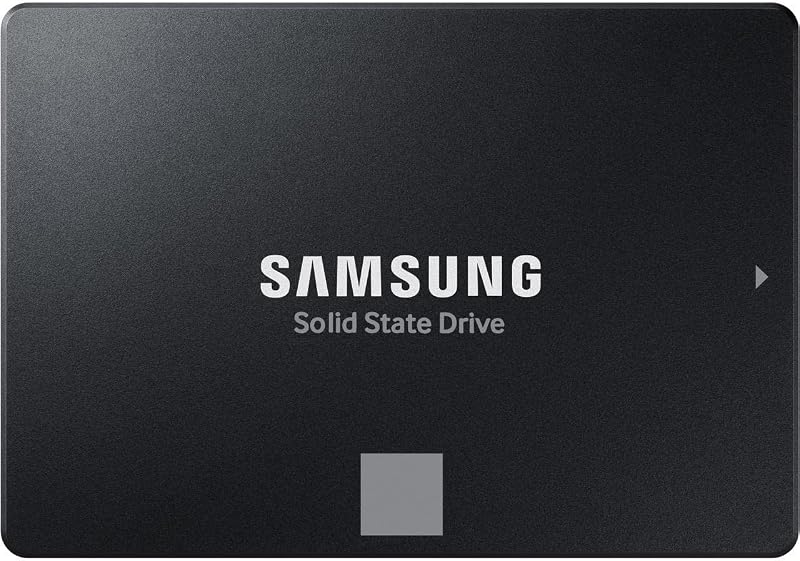
For shoppers searching for the best samsung 4tb ssd that balances everyday capability with heavy-duty reliability, the SAMSUNG 870 EVO 4TB 2.5 Inch stands out as the core mainstream choice. This drive pushes the traditional SATA III connection to its practical limits, advertising sequential read speeds up to 560 MB/s and sequential write speeds up to 530 MB/s. Built with Samsung MLC V-NAND technology, it features an Auto Garbage Collection Algorithm and a large variable buffer to maintain smooth, steady operations even during massive file transfers. Compatibility testing covers a broad spectrum of hardware, including computer chipsets, motherboards, network-attached storage systems, and external video recording gear.
Data endurance is where this drive truly excels, boasting a rating of up to 2,400 Terabytes Written (TBW). That means you can write and overwrite massive video libraries or large software suites repeatedly across years of regular computing. It also includes Class 0 (AES 256) hardware-based data encryption conforming to TCG/Opal v2.0 standards, which protects sensitive documents from unauthorized physical access without placing extra strain on your central processor. Whether you are installing it as a secondary game drive or breathing new life into an aging workstation, this model serves as an all-star standard for dependable storage.
This unit is specifically tailored for video editors handling 8K footage, general computer enthusiasts, and any gift-giver looking for a dependable, high-capacity internal drive that fits standard 2.5-inch drive trays. If you want to compare how standard internal drives relate to portable options before making your choice, checking out a samsung external ssd guide can clarify whether a plug-and-play desktop drive fits your lifestyle better. When your computing tasks involve continuous, everyday read-and-write cycles rather than pure long-term archival, this drive provides greater write resilience than high-density QVO storage.
SAMSUNG 870 QVO SATA III SSD
- Best for Shoppers needing massive personal storage for file archives
- Size 4TB
- Color black

Our score: 8.0/10
Pros
- Vast capacity options up to 8TB
- Samsung Magician 6.1 software support
- Intelligent TurboWrite technology
Cons
- Lower guaranteed daily endurance rating
The SAMSUNG 870 QVO SATA III SSD is engineered for users who want to maximize their available space without purchasing specialized enterprise hardware. As Samsung’s second-generation QLC solid-state drive, it utilizes denser memory cells that hold four bits of data per cell. This architecture allows the series to expand up to massive 8TB capacities, while the 4TB model offers abundant room for storing comprehensive family photo albums, expansive digital music collections, or deep media archives. The listing highlights sequential read performance reaching up to 560 MB/s and sequential write speeds of 530 MB/s, supported by Intelligent TurboWrite technology with an expanded variable buffer.
Endurance and reliability are maintained through an updated Error-Correcting Code algorithm designed to ensure consistent performance over time. The 4TB listing references up to 2,880 TBW maximum capacity endurance alongside a 360 TBW guaranteed endurance metric, protected by a limited 3-year warranty. Upgrading is designed to be accessible for first-time builders: the drive slots into any standard 2.5-inch SATA bay in a desktop or laptop, and it connects smoothly with Samsung Magician 6.1 software. This downloadable utility provides clear health monitoring tools, status dashboards, and maintenance functions to keep drive firmware updated.
This drive is ideal for everyday desktop PC owners, home office workers, and IT professionals who need vast bulk storage primarily for reading files, launching standard applications, and holding dormant data archives. However, shoppers who regularly edit high-bitrate video or perform heavy daily data writes will find that the MLC V-NAND architecture in the 870 EVO offers superior long-term write stamina, making the QVO best suited as an expansive secondary library drive.
Samsung SSD 860 EVO 4TB 2.5
- Best for Owners of older desktop systems or legacy laptops
- Size 4TB
- Color Black
- Formats Digital
- Weight 0.21 Pounds
- Dimensions 3.94 x 2.76 x 0.27 Inches

Our score: 8.6/10
Pros
- Broad legacy operating system support
- Proven V-NAND computing architecture
- 5 million hours reliability rating
Cons
- Older generation hardware speeds
The Samsung SSD 860 EVO 4TB 2.5 represents the prior generation of Samsung’s best-selling mainstream lineup, designed specifically to boost everyday computing speeds in mainstream desktops and laptops. Operating over a 6 Gb/s SATA III interface, this drive reaches sequential read rates of up to 550 MB/s and sequential write rates of up to 520 MB/s. Powered by Samsung V-NAND technology and Intelligent TurboWrite, it provides stable performance when moving multi-gigabyte data files or rendering large 4K video clips and complex 3D project models.
Hardware security is integrated directly into the controller through AES 256-bit hardware-based encryption compatible with TCG Opal and IEEE 1670 standards. The package listing includes the standard 7-millimeter thick 2.5-inch drive and an instructional user manual, noting a Mean Time Between Failures (MTBF) reliability calculation of 1.5 million hours alongside a 5-year limited warranty. The listing also details extensive operating system support, covering modern Windows setups as well as legacy environments like Windows 7, Vista, XP, Mac OSX, and Linux systems.
This model is an exceptional fit for users maintaining older computing rigs or legacy operating systems where guaranteed backward hardware compatibility is essential. For anyone embarking on a vintage or legacy samsung 2.5 ssd project, the 860 EVO provides proven stability. However, if modern host system compatibility, updated controller algorithms, and slightly higher SATA speeds are desired, the newer 870 EVO is the direct successor to consider.
Samsung 860 PRO SSD 4TB
- Best for Demanding creative workstations and home network servers
- Size 4TB
- Color Black
- Formats Digital
- Dimensions 3.94 x 2.76 x 0.27 inches
Our score: 8.0/10
Pros
- Durable MLC V-NAND technology
- Designed for intensive workstation tasks
- Sustained sequential write performance
Cons
- Tailored primarily for heavy workloads
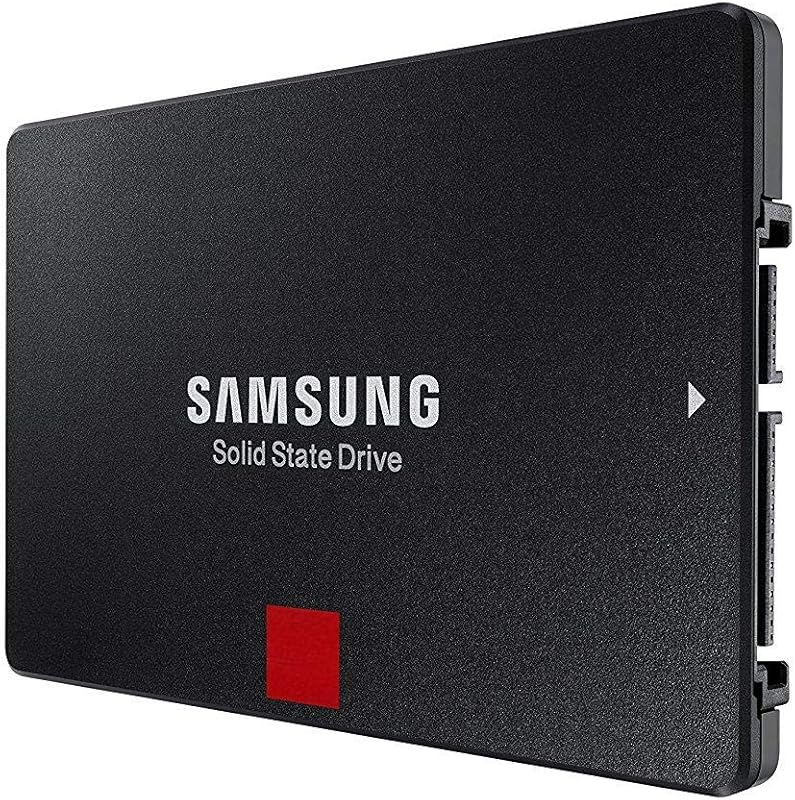
Built for users who refuse to compromise on data stamina, the Samsung 860 PRO SSD 4TB is specifically tailored to meet the demanding workloads of high-end desktop workstations, video production editing suites, and Network Attached Storage (NAS) configurations. Under the hood, this drive employs high-grade MLC V-NAND memory managed by a robust algorithm-based controller. It delivers sustained sequential read speeds up to 560 MB/s and sequential write speeds up to 530 MB/s, designed to maintain peak transfer rates without slowing down under prolonged multi-tasking operations.
The listing outlines strict operational standards, including an operating temperature range of 0 to 70 degrees Celsius and extensive platform compatibility spanning Windows XP through modern releases, Mac OSX, and Linux. Because it relies on two-bit-per-cell MLC flash memory rather than three-bit or four-bit configurations, the physical memory structure provides exceptional natural resilience against electrical wear. This makes it particularly capable of handling continuous write workloads, such as live multi-camera security recording or non-stop virtualization servers.
This professional-tier drive is built for digital content creators, software engineers, and IT specialists who routinely process huge computational datasets and cannot afford drive throttling. For general gift-givers or everyday home office users simply browsing the web and streaming media, the PRO series offers performance characteristics that exceed normal requirements, making the more economical 870 EVO or 870 QVO more sensible selections for basic desktop usage.
Samsung SSD 990 PRO 4TB
- Best for Modern desktop gamers with compatible NVMe slots
- Size 4TB
- Color Black
- Weight 0.02 Pounds
Pros
- Speeds reach up to 7,450 MB/s
- Cutting-edge PCIe 4.0 interface
- Advanced smart heat control
Cons
- Not a standard SATA 2.5-inch drive
The Samsung SSD 990 PRO 4TB operates in an entirely different speed league compared to traditional 2.5-inch SATA drives. Instead of utilizing the legacy SATA communication bus, this drive uses the modern PCIe 4.0 NVMe protocol across a compact M.2 (2280) stick form factor. The listing states blistering sequential read speeds reaching up to 7,450 MB/s and sequential write speeds up to 6,900 MB/s. It delivers over a 55% improvement in random performance over its predecessor, making it a cheat code for high-performance computing, intensive 3D rendering, and instant video game loading.
Power efficiency and thermal stability are central features of this premium drive. It includes an in-house controller equipped with smart heat control, offering up to 50% improved performance per watt over older models. While the technical specifications mention rugged drop resistance up to 9.8 feet and an IP65 rating alongside AES 256-bit hardware encryption, its primary environment is inside high-end gaming laptops, custom desktop motherboards, or modern gaming consoles. Shoppers building dedicated gaming setups may also be interested in a samsung ps5 ssd with heatsink guide to understand console cooling requirements.
This flagship drive is engineered specifically for hardcore gamers, professional video animators, and data analysts whose computers have an available M.2 PCIe 4.0 slot. It is crucial for first-time buyers to recognize that this is not a 2.5-inch SATA drive. If your desktop or laptop only has classic SATA data and power ribbon cables, this compact M.2 blade will not physically connect, making standard SATA options like the 870 EVO the required hardware choice.
Samsung SSD 870 EVO SATA III
- Best for Budget-focused upgrades needing moderate storage capacity
- Size 2TB
- Color Black
- Weight 0.19 pounds
- Dimensions 3.94 x 2.76 x 0.27 Inches
Pros
- Same 560 MB/s read speed as larger models
- High 2,400 TBW reliability ceiling
- Extensive host system compatibility
Cons
- Limited to 2TB digital capacity
Rounding out the lineup is the 2TB version of the trusted EVO generation: the Samsung SSD 870 EVO SATA III. While sharing identical underlying architecture with its 4TB counterpart, this model offers a middle-ground capacity for computer users who do not require four full terabytes of storage. It maintains top-tier SATA performance with up to 560 MB/s sequential read and 530 MB/s sequential write rates, supported by Samsung’s proven Intelligent TurboWrite technology and a variable cache buffer.
The listing highlights broad compatibility testing across personal computer chipsets, motherboards, home server NAS setups, and standalone video recording equipment. It supports legacy SATA 3 Gb/s and SATA 1.5 Gb/s connections in addition to standard 6 Gb/s SATA III ports, ensuring full backward compatibility with older computers. Environmental features include shock resistance tested up to 1,500 G at 0.5 milliseconds, while Class 0 (AES 256) encryption provides enterprise-grade data protection without impacting daily computing speeds.
This 2TB drive is the perfect solution for family desktops, student laptops, or secondary storage setups that need an immediate speed boost without paying for excessive unused capacity. If your current storage needs do not reach the expansive heights of a full 4TB library, this model delivers all the engineering advantages and reliability of the 870 EVO family at a more focused storage tier.
Chip values are fields copied from the Amazon product listing. Scores are out of 10, based on listed specifications and buyer feedback.
Matching a Model to Your Setup
- Everyday Family Desktop Upgrades: Choose the SAMSUNG 870 EVO 4TB 2.5 Inch to replace a noisy mechanical drive with fast, highly reliable storage that handles web browsing, photo backups, and daily productivity effortlessly.
- Massive Home Media Archives: Select the SAMSUNG 870 QVO SATA III SSD when you need vast capacity to house dormant movie libraries, music collections, and large personal documents where high write endurance is secondary.
- Older Legacy Computer Refurbishments: Pick the Samsung SSD 860 EVO 4TB 2.5 for vintage operating systems like Windows 7 or older Mac laptops that require verified system compatibility and solid day-to-day performance.
- Heavy Video Production and Server Tasks: Opt for the Samsung 860 PRO SSD 4TB if you manage continuous video recording, network-attached storage servers, or intensive multi-tasking workloads that demand professional-grade MLC V-NAND durability.
- High-End Modern Gaming Rigs: Install the Samsung SSD 990 PRO 4TB if your modern motherboard features an M.2 slot and you require ultra-fast PCIe 4.0 speeds up to 7,450 MB/s for competitive loading times and gaming performance.
- Moderate Storage on a Practical Budget: Choose the Samsung SSD 870 EVO SATA III in its 2TB configuration when your system needs top SATA performance and rock-solid endurance without the excess room of a 4TB drive.
Before You Buy
Before purchasing any internal solid-state drive, it is essential to check the physical connections inside your desktop tower or laptop. Standard 2.5-inch SATA solid-state drives require two connections inside your computer: a thin SATA data cable linking the drive to the motherboard, and a wider SATA power cable coming directly from your power supply unit. The product listings clearly note that accessories such as SATA data cables, mounting screws, 3.5-inch bay adapter brackets, and external USB adapter enclosures are not included in the packaging. If you are upgrading a laptop or adding a secondary drive to an existing desktop case, you will need to purchase these mounting accessories separately or check your computer case box for extra hardware.
It is equally critical to verify the physical form factor supported by your machine before ordering. While the 870 EVO, 870 QVO, 860 EVO, and 860 PRO use the standard rectangular 2.5-inch drive shape with SATA connectors, the 990 PRO uses an M.2 2280 form factor that resembles a small gum stick and slots directly onto modern computer motherboards. A standard 2.5-inch drive bay cannot accept an M.2 blade, and an M.2 slot cannot take a SATA cable without specialized adapters. Always open your computer manual or inspect your system motherboard to confirm whether you need a 2.5-inch SATA drive or an M.2 NVMe card before making your final selection.
FAQ
What is the difference between Samsung EVO and QVO solid-state drives?
The primary difference lies in the type of flash memory used inside the drive. Samsung EVO drives utilize MLC V-NAND (storing three bits of data per cell), which provides faster sustained write speeds and higher overall write endurance. In contrast, Samsung QVO drives use QLC memory (storing four bits per cell), which allows for much higher storage density at a more accessible entry level, though with slightly lower endurance ratings under heavy daily writing.
What does the TBW rating mean on a solid-state drive?
TBW stands for Terabytes Written. It is an industry measurement that indicates the total cumulative amount of data you can write to the drive over its lifetime before the flash memory cells begin to degrade. For example, a 2,400 TBW rating means you could write hundreds of gigabytes of data every single day for years before reaching the drive’s tested endurance threshold.
Can I install a 2.5-inch Samsung SATA drive in my laptop?
Yes, provided your laptop includes an accessible 2.5-inch internal drive bay that supports 7-millimeter height drives with standard SATA connections. Many older and thicker laptops include these bays, making a solid-state drive an easy replacement for an old hard drive. However, many modern ultra-thin laptops only feature soldered memory or M.2 NVMe slots, so check your laptop specifications first.
Do these Samsung drives include data migration software?
While physical cloning cables are not included in the box, Samsung provides access to Samsung Magician and Data Migration software via download from their official website. This utility allows you to monitor the operational health of your drive, manage firmware updates, and clone your existing operating system and personal files directly onto your new drive.
Will a SATA III solid-state drive work on an older SATA II computer?
Yes, Samsung SATA III solid-state drives are backward compatible with older SATA II (3 Gb/s) and SATA I (1.5 Gb/s) motherboard ports. The drive will connect and function normally, but its maximum data transfer rates will be capped by the speed limit of the older motherboard port rather than the full 560 MB/s speed of the drive.


