
As Amazon Associates, we earn from qualifying purchases. This means we may receive a small commission at no extra cost to you if you click through and make a purchase.
Choosing a new computer display can feel challenging when technical jargon fills every specification sheet, especially if you are buying your first ultra-high-definition screen or selecting a gift for someone else. Across the lineup of asus 4k monitors, your decision comes down to balancing screen size, color precision, and refresh speed. A 4K display features a resolution of 3840 by 2160 pixels, packing four times the visual detail of standard 1080p screens into the same desktop footprint. This immense pixel density makes fine spreadsheet numbers readable, shows subtle details in digital photography, and enhances clarity during video streaming. Figuring out which asus 4k monitor to buy starts with matching your daily computer habits to the right display category.
ASUS organizes its display lineup into distinct product series designed for specific workflows. The ProArt family targets creative professionals needing pre-calibrated color accuracy and versatile connectivity for content creation. For gaming, the TUF Gaming series offers high refresh rates and durable builds, while the Republic of Gamers line delivers premium OLED technology with rapid response times and advanced cooling. Meanwhile, the VY Eye Care and VP lines serve home offices, study spaces, and everyday multitasking desks with practical ergonomics and vision comfort. Conducting a structured asus 4k monitor comparison allows you to identify the essential features for your desk while avoiding paying for capabilities you will never use.
ASUS 4K Monitors Lineup at a Glance
| Model | Screen Size & Panel | Refresh Rate | Primary Specialty |
|---|---|---|---|
| ASUS ProArt PA279CRV 27 Inch 4K | 27-inch IPS LED | 60Hz | Color accuracy and 96W USB-C docking |
| ASUS TUF Gaming VG27UQ1A 27 Inch | 27-inch Fast IPS LED | 160Hz | High-speed gaming and motion clarity |
| ASUS VY27UQ 27 Inch 4K UHD | 27-inch IPS LED | 60Hz | Eye care and antibacterial surface |
| ASUS VP327Q 32 Inch 4K UHD | 31.5-inch IPS LED | 60Hz | Spacious everyday screen and office multitasking |
| ASUS ROG XG32UCWMG 32 Inch 4K | 32-inch Glossy WOLED | 240Hz (Dual Mode 480Hz) | Glossy OLED gaming and dual-mode esports |
| ASUS ROG PG32UCDM 32 Inch 4K | 32-inch Matte QD-OLED | 240Hz | Deep contrast and 90W USB-C connectivity |
Figures as published on the product listings.
The Models in Detail
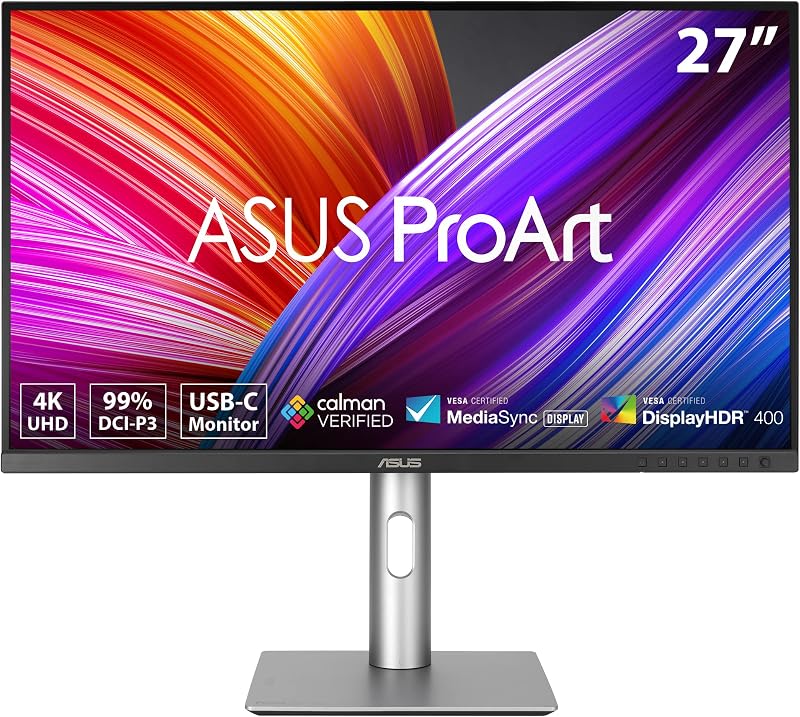
ASUS ProArt PA279CRV 27 Inch 4K
- Best for Professional video editors and graphic designers
- Color BLACK
- Size 27 Inch
- Weight 18.25 pounds
- Dimensions 24.1 x 8.46 x 16.07 inches
Our score: 9.2/10
Pros
- Calman Verified Delta E color accuracy
- 96W USB-C single cable power delivery
- Full tilt swivel pivot height ergonomic stand
- DisplayPort daisy-chain capability
Cons
- Standard 60Hz refresh rate
The ASUS ProArt PA279CRV 27 Inch 4K is built for creative professionals, photo retouchers, and video editors who need exact color fidelity. This 27-inch IPS monitor provides 3840 by 2160 resolution with 99 percent coverage of both the DCI-P3 and Adobe RGB color gamuts, ensuring digital artwork and video timelines represent true tones. It arrives Calman Verified and factory pre-calibrated to a Delta E rating below two, ensuring dependable color accuracy out of the box. Shoppers seeking an asus 27 4k display for visual work will value its matte screen finish and wide 178-degree viewing angles that prevent color shifting when viewing from the side.
Laptop users benefit from extensive connectivity, led by a USB-C port supporting DisplayPort video, data transfer, and 96-watt Power Delivery through a single cord. It also provides DisplayPort daisy-chaining to connect multiple screens in series, standard DisplayPort and HDMI inputs, and a built-in USB hub for desk accessories. An ergonomic stand allows tilt, swivel, pivot, and height adjustments to maintain neck comfort during long work sessions. ASUS includes a 5-year warranty with online registration and a complimentary 3-month Adobe Creative Cloud subscription.
This monitor ranks among the best asus 4k monitors for color-critical work and modern laptop setups. Its 60Hz refresh rate is tailored for static images, graphic design, and video editing rather than high-speed gaming, where higher-frequency TUF and ROG models take the lead.
ASUS TUF Gaming VG27UQ1A 27 Inch
- Best for Competitive PC and console gamers
- Color BLACK
- Weight 10.6 Pounds
- Dimensions 8.4 x 24.2 x 17.9 inches

Our score: 9.6/10
Pros
- Smooth 160Hz refresh rate and 1ms response
- HDMI 2.1 supports 4K 120Hz console gaming
- ELMB Sync eliminates motion blur and tearing
- Includes screwdriver and DisplayPort cable
Cons
- No USB-C connectivity
The ASUS TUF Gaming VG27UQ1A 27 Inch is engineered for smooth action as a dedicated asus 4k gaming monitor. Its 27-inch Fast IPS panel pairs 3840 by 2160 resolution with a fast 160Hz refresh rate and a 1-millisecond response time. If you are upgrading from an asus tuf gaming 27 1440p monitor, moving to 4K delivers sharper visuals while preserving the fluid movement needed for fast-paced titles.
Screen tearing and stuttering are managed through NVIDIA G-SYNC Compatible certification, AMD FreeSync Premium, and Variable Overdrive technology. It also features ASUS Extreme Low Motion Blur Sync, which runs blur reduction and variable refresh rate synchronization at the same time for clear visual tracking. Console gamers can utilize HDMI 2.1 to achieve 4K gameplay at 120Hz without chroma subsampling. The panel supports HDR content and covers 95 percent of the DCI-P3 color spectrum for vivid game worlds.
The package includes a DisplayPort cable, power cord, warranty documentation, and an L-shaped screwdriver, along with a 3-month Adobe Creative Cloud membership. It suits gamers seeking sharp 4K visuals and high frame rates, though creators needing wide Adobe RGB coverage or 96-watt laptop charging will prefer the ProArt PA279CRV.
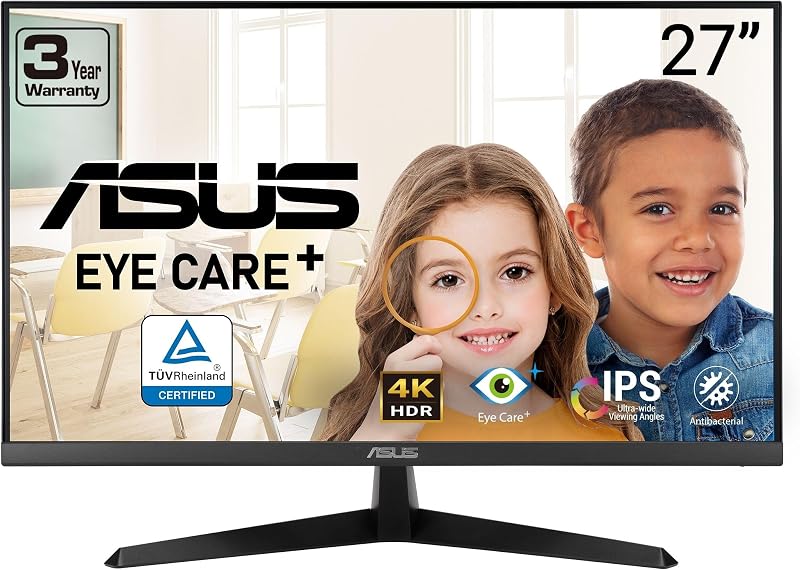
ASUS VY27UQ 27 Inch 4K UHD
- Best for Shared family desks and remote learning
- Color BLACK
- Size 27 Inch
- Weight 11.2 pounds
- Dimensions 21 x 38 x 49 inches
Our score: 9.8/10
Pros
- Antibacterial surface treatment on bezels
- Eye Care Plus with Color Augmentation mode
- Built-in speakers and DisplayWidget software
- Crisp 4K IPS panel with Adaptive-Sync
Cons
- Standard 60Hz refresh rate
The ASUS VY27UQ 27 Inch 4K UHD focuses on everyday comfort, remote study, and shared family computer stations. Its 27-inch IPS panel delivers 3840 by 2160 resolution with wide 178-degree viewing angles and a glare-reducing matte finish. A standout element is its proprietary antibacterial treatment applied across the bezels and hotkeys, helping inhibit bacterial and fungal growth on high-touch surfaces in shared environments.
Visual comfort is supported by Eye Care Plus technology, featuring TÜV-certified flicker-free backlighting and an advanced blue light filter to reduce eye strain during extended reading sessions. It includes a Color Augmentation mode to assist users with color-vision deficiencies and an integrated Rest Reminder to prompt healthy screen breaks. The display features a 60Hz refresh rate with Adaptive-Sync, HDR-10 compatibility, built-in speakers, and DisplayPort and HDMI inputs.
The included DisplayWidget software enables quick on-screen adjustments with your mouse instead of physical buttons. This monitor is well-suited for general web browsing, schoolwork, and home productivity, though gamers seeking higher refresh rates will prefer the TUF Gaming VG27UQ1A.
ASUS VP327Q 32 Inch 4K UHD
- Best for Home office multitasking on a large screen
- Color BLACK
- Size 32 Inch
- Dimensions 28.1 x 7.9 x 19.1 Inches

Our score: 9.4/10
Pros
- Spacious 31.5-inch 4K IPS display
- Dual HDMI ports plus DisplayPort input
- Integrated stereo speakers and VESA mountable
- TÜV-certified low blue light and flicker-free
Cons
- Standard 60Hz refresh rate
The ASUS VP327Q 32 Inch 4K UHD expands your desktop view with a 31.5-inch IPS panel featuring 3840 by 2160 resolution. The larger panel size allows comfortable side-by-side multitasking with multiple open applications and spreadsheets without feeling cramped. Its frameless bezel design and 178-degree viewing angles keep visuals uniform across the expansive screen surface.
The screen offers 99 percent sRGB gamut coverage and HDR-10 support, delivering dependable colors for document editing, photo organizing, and video streaming. It incorporates TÜV-certified low blue light filters and flicker-free technology to reduce eye fatigue during long work shifts. Connectivity includes dual HDMI ports and DisplayPort, alongside integrated stereo speakers and standard VESA mount support for monitor arms.
ASUS backs the monitor with a 3-year warranty featuring an Advanced Replacement and Repair service. It is a solid pick for home workers wanting a large display for general computing, giving way to the ProArt series for professional color grading or ROG screens for enthusiast gaming.
ASUS ROG XG32UCWMG 32 Inch 4K
- Best for Esports players seeking dual-mode flexibility
- Color BLACK
- Weight 16.1 Pounds
- Size 16.9" x 28.1" x 2.8"
- Dimensions 10.8 x 28.1 x 22.8 inches
Pros
- Dual-mode 4K 240Hz or FHD 480Hz
- Glossy TrueBlack WOLED with 0.03ms response
- Neo Proximity Sensor prevents burn-in
- DisplayHDR 400 True Black contrast
Cons
- USB-C Power Delivery limited to 15W
The ASUS ROG XG32UCWMG 32 Inch 4K showcases enthusiast performance with a 32-inch TrueBlack Glossy WOLED panel. The glossy finish creates zero haze, producing sharp detail and an impressive contrast ratio of 1,500,000:1. Its standout Dual Mode capability lets users switch between 4K resolution at 240Hz for visual immersion and Full HD at 480Hz for competitive esports.
Pixel transitions are near-instantaneous with a 0.03-millisecond response time, supported by NVIDIA G-SYNC Compatible and AMD FreeSync Premium Pro synchronization. The panel meets VESA DisplayHDR 400 True Black standards, delivers 99 percent DCI-P3 coverage, and features Delta E color accuracy under two. ASUS OLED Care Pro includes a Neo Proximity Sensor that turns the screen black when you step away to protect the panel against burn-in.
Ports include DisplayPort 1.4 with Display Stream Compression, HDMI 2.1, and USB-C with 15-watt power delivery, resting on a compact stand that saves desk space. It carries a 3-year warranty covering burn-in. This model is ideal for hybrid gamers, yielding to the PG32UCDM if you require a matte screen and high-wattage 90-watt laptop charging.
ASUS ROG PG32UCDM 32 Inch 4K
- Best for Enthusiasts wanting ultimate QD-OLED visuals
- Size 9.40
- Color BLACK
- Weight 19.4 pounds
- Dimensions 21 x 38 x 49 inches
Pros
- Stunning QD-OLED panel with 240Hz refresh
- Robust 90W USB-C laptop power delivery
- Custom heatsink and graphene film cooling
- Supports Dolby Vision and DisplayHDR True Black
Cons
- Listing does not specify integrated speakers
The ASUS ROG PG32UCDM 32 Inch 4K combines a 32-inch QD-OLED panel with 3840 by 2160 resolution and a 240Hz refresh rate. Third-generation quantum dot OLED technology delivers vibrant colors and true black levels. If you are exploring an elite asus rog monitor, this unit stands out with Dolby Vision support and VESA DisplayHDR 400 True Black certification for high dynamic range visuals.
A 0.03-millisecond response time and G-SYNC Compatible technology prevent screen tearing and ghosting during rapid motion. Cooling is handled by an advanced custom heatsink, targeted airflow design, and graphene film to dissipate heat passively without fans. An optional Uniform Brightness setting maintains consistent luminance across desktop applications, while the matte screen finish minimizes ambient glare.
Connectivity includes DisplayPort, HDMI 2.1, and a USB-C port with 90-watt Power Delivery for single-cable laptop docking and charging. ASUS provides a 3-year warranty including burn-in coverage. This monitor is the premier pick for high-end gaming rigs and desktop setups requiring top-tier contrast and high-speed motion.
Chip values are fields copied from the Amazon product listing. Scores are out of 10, based on listed specifications and buyer feedback.
Matching a Model to Your Setup
- Content Creators and Editors: Choose the ASUS ProArt PA279CRV 27 Inch 4K for factory-calibrated color accuracy, 99 percent Adobe RGB, and 96-watt laptop charging.
- High-Speed PC and Console Gamers: Pick the ASUS TUF Gaming VG27UQ1A 27 Inch for 160Hz gaming, 1ms response, and HDMI 2.1 console support.
- Shared Family Desks: Select the ASUS VY27UQ 27 Inch 4K UHD for antibacterial surface protection, built-in speakers, and Eye Care Plus features.
- Multitasking Desk Workers: Choose the ASUS VP327Q 32 Inch 4K UHD for a spacious 31.5-inch viewing area with dual HDMI inputs.
- Dual-Genre Esports Competitors: Opt for the ASUS ROG XG32UCWMG 32 Inch 4K for its glossy WOLED panel and dual-mode switching between 4K at 240Hz and Full HD at 480Hz.
- Enthusiast Gaming and Laptop Docking: Invest in the ASUS ROG PG32UCDM 32 Inch 4K for QD-OLED contrast, Dolby Vision, and 90-watt USB-C charging.
Before You Buy
Before purchasing an ASUS 4K monitor, note that the product listings do not specify all included accessories and cables for every model. While the TUF Gaming VG27UQ1A explicitly lists a DisplayPort cable, power cord, and screwdriver in its packaging, the listings for the ProArt PA279CRV, VY27UQ, VP327Q, and ROG monitors do not specify which video or USB cables arrive in the box. If your setup relies on high-speed HDMI 2.1 or USB-C connectivity to achieve 4K video transfer, you may need to supply your own certified cables.
Stand adjustability and USB power capabilities also vary considerably across the lineup. The ProArt PA279CRV features a fully adjustable ergonomic stand with tilt, swivel, pivot, and height adjustments, but the listings for the VY27UQ, VP327Q, and TUF Gaming models do not specify full height or pivot movement. Additionally, USB-C functionality is not universal; the ProArt provides 96 watts of power and the ROG PG32UCDM provides 90 watts, whereas the ROG XG32UCWMG delivers only 15 watts, and the remaining models lack USB-C entirely.
FAQ
What does 4K resolution mean for everyday computer tasks?
A 4K monitor features 3840 by 2160 pixels, offering four times the resolution of standard 1080p screens. This higher pixel count makes desktop text sharper, improves clarity in high-resolution photographs, and allows you to view multiple windows side by side without losing legibility.
Can you connect gaming consoles to these ASUS 4K monitors?
Yes, all six monitors include HDMI ports compatible with gaming consoles. However, models with HDMI 2.1, such as the ASUS TUF Gaming VG27UQ1A and both ROG OLED monitors, allow modern consoles to output 4K resolution at up to 120Hz for smoother gameplay.
What is the difference between IPS and OLED display panels?
IPS panels use an LED backlight to illuminate pixels, offering wide viewing angles and stable color accuracy ideal for productivity and office work. OLED panels use self-illuminating pixels, providing true black levels, infinite contrast, and near-instant pixel response times favored by high-end gamers.
Why do some ASUS monitors feature USB-C while others do not?
USB-C connectivity is primarily included on productivity and premium displays to allow video transfer, data transfer, and laptop charging through a single cable. Budget-oriented and standard desktop monitors typically rely on standard DisplayPort and HDMI inputs to keep connections straightforward.
Is a 60Hz refresh rate adequate for non-gaming tasks?
A 60Hz refresh rate updates the screen 60 times per second, which is completely adequate for web browsing, office applications, photo editing, and standard video streaming. Higher refresh rates of 160Hz or 240Hz are primarily beneficial for smoothing fast-moving action in video games.


