As Amazon Associates, we earn from qualifying purchases. This means we may receive a small commission at no extra cost to you if you click through and make a purchase.
Shopping for a high-speed monitor can feel daunting when you are confronted by technical jargon, competing resolution standards, and complex panel specifications. If you are selecting a display for competitive gaming or buying a gift for a dedicated esports fan, a 240Hz refresh rate represents a noticeable leap forward in motion clarity. The term refresh rate refers to how many times per second the monitor redraws the image on the screen. A 240Hz screen updates 240 times every second, creating fluid animations, minimizing motion blur during fast camera pans, and reducing the input lag between a player moving their mouse and seeing the action unfold. Making the right choice involves weighing physical screen dimensions, desktop resolution, panel structure, and stand ergonomics so the new display seamlessly complements the user’s computer hardware.
Acer organizes its high-refresh desktop catalog around two distinct lines: the everyday performance-oriented Nitro series and the enthusiast-level Predator family. The Nitro lineup emphasizes competitive speed, practical zero-frame construction, and approachable utility, spanning accessible Full HD resolutions up to sharper Quad HD displays. The Predator tier incorporates enthusiast display engineering, introducing organic light-emitting diode technology with self-lit pixels, ultra-low response times, and premium color calibration intended for competitive tournament play. Across the brand’s catalog, shoppers will encounter compact 24-inch screens built for concentrated vision, 27-inch models that balance work with play, and specialized high-contrast panels designed for immersive visuals. Reviewing this detailed acer gaming monitor comparison will help you clarify which acer gaming monitor to buy for your personal desktop space.
Acer Gaming Monitors Lineup at a Glance
| Model | Screen Size & Resolution | Panel Type & Speed | Key Distinction |
|---|---|---|---|
| Acer Nitro 23.8in FHD 1920×1080 IPS | 23.8 inches, FHD 1080p | IPS, up to 240Hz, 0.5ms GTG | Compact desk footprint, 99% sRGB color accuracy |
| MONITOR Acer Nitro 27in QHD 2560×1440 | 27 inches, QHD 1440p | IPS, 240Hz DP / 144Hz HDMI, 0.5ms GTG | Ergostand height, tilt, swivel, and pivot adjustments |
| Acer Predator 26.5in QHD 2560×1440 QD-OLED | 26.5 inches, QHD 1440p | QD-OLED, 240Hz, 0.03ms GTG | Infinite contrast, 99% DCI-P3, true 10-bit color |
| Acer Nitro 24.5in FHD 1920×1080 280Hz | 24.5 inches, FHD 1080p | LCD, up to 280Hz, 1ms | Accelerated 280Hz ceiling, 3000:1+ static contrast |
Figures as published on the product listings.
The Models in Detail
Acer Nitro 23.8in FHD 1920×1080 IPS
- Best for Budget competitive players with compact desks
- Color Black
- Size 23.8-inch
- Dimensions 8.28 x 24.08 x 18.12 inches
4.0 average rating left by Amazon buyers
Pros
- 240Hz refresh rate
- 5ms response time
- 99% sRGB color support
- ZeroFrame slim border
Cons
- 1080p resolution limits workspace
- Listing omits height adjustment
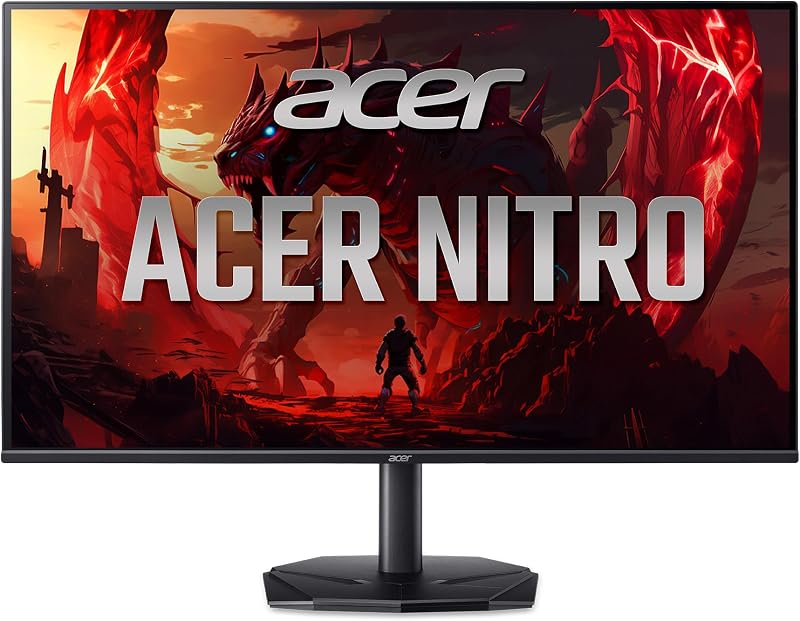
The Acer Nitro 23.8in FHD 1920×1080 IPS, listed under model code KG240Y W3biip, serves as an agile entry point into high-refresh competitive gaming. Built with a 23.8-inch In-Plane Switching panel, this display delivers Full HD resolution with 1920 x 1080 pixels in a standard 16:9 widescreen aspect ratio. The screen surface features a matte finish that helps disperse harsh light from room fixtures or exterior windows. For competitive play, it achieves a refresh rate of up to 240Hz and a swift gray-to-gray response time reaching down to 0.5ms, which works to prevent visual smearing and ghosting behind rapidly darting crosshairs and sprinting characters. To ensure the graphics pipeline remains synchronized, it features AMD FreeSync Premium technology, matching the monitor refresh rate to the graphics card to eliminate image stutter and screen tearing.
Beyond raw speed, this acer nitro kg240y display provides reliable visual quality for everyday productivity and content creation. The listing specifies that the panel supports 99% of the sRGB color space, providing dependable color fidelity that accommodates digital photography, graphic design, and video editing alongside standard gaming. Acer incorporates a modern ZeroFrame design along the upper and side edges, replacing thick plastic bezels with an ultra-thin frame that maximizes usable screen space. Because the display operates at standard Full HD, it places a modest demand on your computer’s graphics card, allowing mainstream gaming computers to maintain the high frame rates necessary to enjoy the 240Hz ceiling.
This compact acer 1080p 240hz monitor is an excellent match for students, casual esports participants, or gift recipients who work with smaller computer desks or dorm room setups where tabletop real estate is limited. The 23.8-inch display size keeps all the visual information concentrated directly within the user’s primary field of vision without requiring excessive neck movement. However, shoppers who need a larger physical workspace for multitasking or who desire the sharper image clarity provided by higher pixel densities will find that this 1080p panel naturally steps aside for the larger 27-inch Quad HD models in the brand’s catalog.
MONITOR Acer Nitro 27in QHD 2560×1440
- Best for Gamers balancing esports with daily desktop productivity
- Color Black
- Size 27-inch
- Dimensions 9.2 x 24.2 x 18 Inches

4.1 average rating left by Amazon buyers
Pros
- Sharp 1440p resolution
- Full ergonomic stand adjustability
- Built-in stereo speakers
- DisplayPort and HDMI cables included
Cons
- HDMI capped at 144Hz
- Requires larger desk footprint
Moving up in screen size and pixel density, the MONITOR Acer Nitro 27in QHD 2560×1440 (model XV272U W2bmiiprx) expands the visual canvas to a generous 27 inches. This widescreen IPS panel provides Quad HD resolution with 2560 x 1440 pixels, which packs substantially more detail into the display than basic 1080p alternatives. It delivers a fast pixel response time ranging between 1ms and up to 0.5ms gray-to-gray, paired with AMD FreeSync Premium for tear-free gaming sessions. For refresh capabilities, the listing specifies that the panel achieves 240Hz when connected through its DisplayPort 1.4 connection, while its two HDMI 2.0 ports operate at refresh rates up to 144Hz. This flexible connection suite also includes a dedicated audio-out port, with both DisplayPort and HDMI cables included in the package.
A major highlight of this acer nitro xv272u listing is the inclusion of Acer’s comprehensive Ergostand, which addresses the physical comfort needs of users sitting at their desks for long stretches. The stand permits full ergonomic adjustment, including 4.7 inches of smooth height elevation, tilt angles from -5 degrees forward to 15 degrees backward, a 360-degree swivel radius, and a 90-degree pivot function that rotates the screen into vertical portrait mode. For setups utilizing articulated desk mounts, the monitor is fully compliant with standard 100 x 100mm VESA hardware. The listing also details integrated desktop audio via two built-in speakers producing two watts of sound per channel, alongside a 0.233mm pixel pitch and a glare-reducing matte screen surface.
This versatile acer 1440p 240hz monitor is best suited for shoppers who want a single screen that excels at both competitive gaming and demanding daily productivity. First-time buyers evaluating value options often review general budget hardware like a scepter 240hz monitor, but this Nitro model distinguishes itself through its higher 1440p resolution and complete ergonomic adjustability. Players who demand true pitch-black contrast for cinematic immersion in dark environments, however, may find that traditional IPS backlights yield to advanced organic light-emitting displays.
Acer Predator 26.5in QHD 2560×1440 QD-OLED
- Best for Enthusiasts demanding maximum contrast and instant response
- Color Black
- Size 26.5-inch
- Dimensions 12.32 x 24.04 x 19.25 inches

4.7 average rating left by Amazon buyers
Pros
- Blazing 0.03ms response time
- Vibrant QD-OLED panel
- 99% DCI-P3 color gamut
- True 10-bit color depth
Cons
- Heavy 8.96 kg build
- Panel requires image retention maintenance
The Acer Predator 26.5in QHD 2560×1440 QD-OLED (model X27U W1) sits at the technological summit of the company’s gaming lineup. Built around a 26.5-inch quantum dot organic light-emitting diode panel with a native 2560 x 1440 resolution, this display does not rely on an external LED backlight. Instead, every pixel produces its own light, delivering absolute pitch blacks, infinite contrast, and pristine image clarity. The panel combines a rapid 240Hz refresh rate with an instantaneous 0.03ms gray-to-gray response time, virtually eliminating motion ghosting and trailing artifacts. Gameplay smoothness is supported by AMD FreeSync Premium, allowing the graphics card to dictate frame pacing without screen stutter or tearing.
Color performance on this acer predator 240hz display matches professional grade standards. It features true 10-bit color processing, 99% coverage of the digital cinema DCI-P3 color gamut, a Delta E color variance rating below 2, and HDR10 enhancement for brilliant specular highlights. To safeguard the organic panel during prolonged ownership, Acer integrates specialized image retention-refresh utility routines alongside built-in eye care technologies. The physical chassis features a matte screen finish and a ZeroFrame bezel design, measuring 24.04 inches wide, 12.32 inches deep, and 19.25 inches high, with a solid total shipping weight of 8.96 kg.
Targeted at dedicated competitive players and visual purists, the 26.5-inch footprint of the acer predator x27u mirrors the preferred dimensions established in modern professional esports competitions. Shoppers researching the broader high-end display market can also examine dedicated guides on the wider acer predator monitor 240hz ecosystem or ultrawide form factors like an alienware 34 240hz qd-oled gaming monitor, but this particular unit offers a flat 16:9 profile optimized for rapid competitive scanning. Because of its premium QD-OLED construction, it serves enthusiasts seeking the finest visual contrast, while budget-focused shoppers will find standard LCD panels far more practical.
Acer Nitro 24.5in FHD 1920×1080 280Hz
- Best for Fast-twitch shooter players wanting maximum frame rates
- Color Black
- Size 24.5-inch
- Dimensions 8.67 x 21.93 x 16.9 Inches
4.9 average rating left by Amazon buyers
Pros
- Ultra-fast 280Hz refresh speed
- 3000:1+ static contrast ratio
- ComfyView anti-glare finish
- Slim ZeroFrame bezel
Cons
- Modest 250 nits brightness
- Listing omits ergonomic stand adjustments
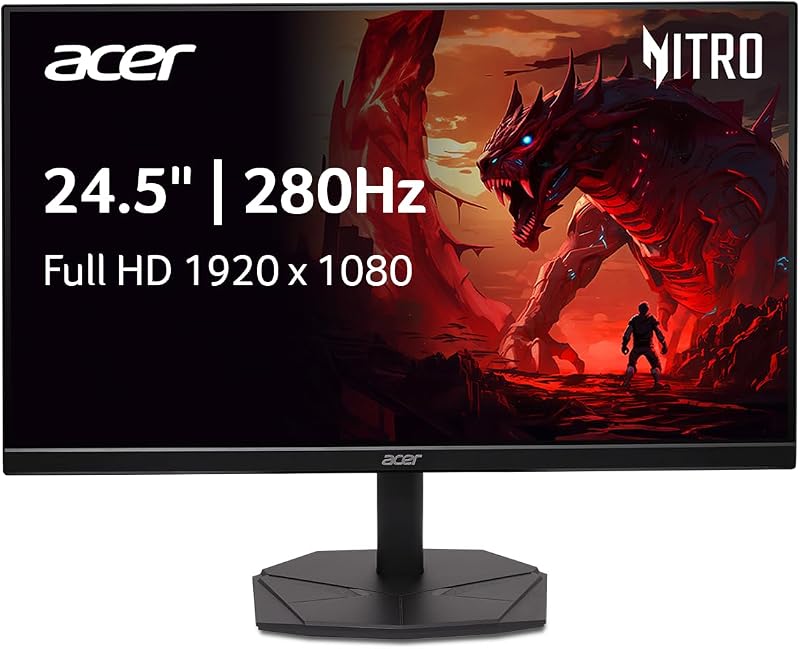
Designed for players who want to push motion rendering beyond typical high-refresh boundaries, the Acer Nitro 24.5in FHD 1920×1080 280Hz (model KG251Q Z1biip) raises the operating ceiling to a blistering 280Hz. This 24.5-inch Full HD display utilizes an LCD panel featuring 1920 x 1080 resolution in a 16:9 aspect ratio. The rapid 280Hz refresh rate decreases the time required for frame rendering, drastically reduces desktop input lag, and ensures razor-sharp 2D motion tracking in fast titles. It features a responsive 1ms response time and AMD FreeSync Premium synchronization to prevent screen tearing and frame pacing hitches during sudden camera rotations.
In addition to raw speed, the technical specifications for this acer nitro kg251q panel highlight a static contrast ratio of 3000:1+, providing deeper dark tones than standard IPS displays. The screen outputs 250 candela per square meter of brightness, incorporates HDR10 image enhancement, and maintains wide 178-degree horizontal and vertical viewing angles. Visual comfort features include Acer’s ComfyView matte anti-glare finish, low-dimming capability, and flicker-less technology designed to mitigate eye strain over lengthy gaming sessions. The physical ZeroFrame housing measures 21.93 inches wide, 8.67 inches deep, and 16.9 inches high, providing a compact desk profile with borders thin enough for multi-monitor arrays.
This rapid acer nitro 240hz monitor evolution suits competitive first-person shooter players who prioritize raw frames per second above all else. Gift buyers selecting a screen for high-school or collegiate esports competitors will appreciate its balanced 24.5-inch sizing, which keeps the entire gameplay arena within direct peripheral vision. While it provides the highest refresh rate in this comparison, its 1080p resolution and modest brightness mean shoppers who prioritize high desktop pixel counts or HDR pop will gravitate toward the 1440p Nitro or Predator alternatives.
Chip values are fields copied from the Amazon product listing. Star figures are the average rating left by Amazon buyers, not a score given here.
Matching a Model to Your Setup
- Compact dorm rooms and small gaming desks: The Acer Nitro 23.8in FHD 1920×1080 IPS is the ideal choice for tight spaces, delivering 240Hz motion fluidity and 99% sRGB color support without overcrowding limited tabletop areas.
- Mixed-use work and gaming environments: The MONITOR Acer Nitro 27in QHD 2560×1440 provides the sharp detail of 1440p resolution alongside a fully adjustable Ergostand that tilts, swivels, pivots 90 degrees, and raises 4.7 inches for ergonomic daily office use.
- Elite competitive tournaments and visual purists: The Acer Predator 26.5in QHD 2560×1440 QD-OLED suits serious enthusiasts who need an ultra-low 0.03ms response time, infinite contrast, and professional DCI-P3 99% color depth.
- Fast-paced first-person shooter specialists: The Acer Nitro 24.5in FHD 1920×1080 280Hz delivers the absolute fastest frame rate in the lineup, pushing refresh speeds to 280Hz with a deep 3000:1+ contrast ratio for quick enemy identification.
- Dual-monitor productivity setups: Pairing two of the Acer Nitro 23.8in or 24.5in displays side by side takes full advantage of their ZeroFrame designs, creating a continuous display field with virtually seamless middle borders.
Before You Buy
Before finalizing your choice, take time to check the physical display outputs on your computer’s graphics card. High refresh rates require substantial bandwidth, and specific models in this lineup behave differently depending on the cable standard you employ. For instance, the 27-inch Nitro model explicitly delivers its 240Hz refresh rate over DisplayPort 1.4, while its HDMI 2.0 connections are capped at 144Hz. If you plan to connect a gaming laptop or desktop using HDMI, verify whether your system supports the necessary DisplayPort alternate modes or HDMI standards to reach the full frame output advertised on the box.
It is also important to note the specific physical adjustments and mounting accessories detailed across each listing. While the 27-inch Nitro monitor includes an adjustable Ergostand with height, tilt, swivel, and pivot capabilities, the product listings for the 23.8-inch and 24.5-inch Nitro models do not specify height or swivel adjustments, offering standard basic stands instead. Additionally, while the 27-inch model explicitly confirms VESA 100 x 100mm mounting compatibility and lists included video cables, the listings for the other models do not specify all included cable accessories or VESA bracket hole patterns. Checking your desk clearance and cable inventory beforehand ensures a smooth setup on arrival.
FAQ
Can any computer run an acer 240hz gaming monitor?
While any computer with a compatible modern video output can physically display an image on an acer 240hz gaming monitor, reaching actual in-game frame rates of 240 frames per second requires a sufficiently capable graphics card and processor. Standard office tasks will feel noticeably smoother immediately, but intensive 3D games require capable hardware to drive high refresh rates, especially at 1440p resolution.
What is the difference between Acer Nitro and Acer Predator monitors?
The Acer Nitro series is built to provide high-speed gaming essentials, practical connectivity, and accessible zero-frame designs for mainstream gamers. In contrast, the Acer Predator line represents the brand’s premium tier, introducing high-end display innovations such as self-illuminating QD-OLED panels, ultra-fast 0.03ms response times, and tournament-grade color gamuts.
What does AMD FreeSync Premium do on these monitors?
AMD FreeSync Premium dynamically synchronizes the refresh rate of the monitor to the instantaneous frame rate output of your computer’s graphics card. By matching these refresh cycles, the monitor prevents horizontal screen tearing and reduces stutter during demanding scenes where frame rates fluctuate.
Why does the 27-inch Nitro model have different refresh rates on DisplayPort and HDMI?
Display connection standards possess different maximum data bandwidth limits. On the 27-inch Nitro monitor, DisplayPort 1.4 provides the necessary transmission bandwidth to push 2560 x 1440 resolution at 240Hz, whereas its HDMI 2.0 ports are bandwidth-limited to carrying that resolution up to a 144Hz refresh rate.
Is 1080p or 1440p better for competitive gaming?
Full HD 1080p resolution allows your graphics card to render frames faster with less processing strain, making it popular for esports players seeking maximum frame rates on compact 24-inch screens. Quad HD 1440p resolution delivers significantly sharper image detail and larger workspace on 27-inch screens, though it requires more graphic rendering power to maintain 240Hz performance.