As Amazon Associates, we earn from qualifying purchases. This means we may receive a small commission at no extra cost to you if you click through and make a purchase.
Finding an everyday pointing device that prevents hand fatigue and wrist discomfort begins with understanding how posture impacts daily computer use. When shopping for an acer ergonomic mouse, desktop users and laptop owners are choosing between traditional contoured horizontal shells, specialized vertical handshake silhouettes, and programmable performance mice. Standard flat mice force the forearm into an unnatural pronated position, where the bones in the wrist cross and rest against the desk surface. An ergonomic mouse aims to alleviate this tension by supporting the natural resting angle of the palm, providing thumb rests, and placing clickable buttons within effortless reach.
The Acer ergonomic catalog is structured cleanly around specific user hand dimensions, connection workflows, and functional tasks. In this collection, the brand separates its offerings into dedicated upright vertical mice designed with 57-degree to 59-degree tilt angles, multi-mode productivity controllers with secondary thumb wheels, ultra-flexible wireless pointers sporting integrated status screens, and high-precision wired mice tailored for fast-paced gaming. Whether pairing a peripheral with a home workstation or an acer touchscreen laptop, understanding how each model balances grip size, connection protocols, and power delivery ensures you select the most comfortable tool for your desk.
Acer Ergonomic Mouse Lineup at a Glance
Our score: 8.6/10
Best for: Wide spreadsheet navigation and editing
Pros
- Smooth horizontal thumb wheel
- Type-C rechargeable 500mAh battery
- Wide 6-level DPI range up to 4800
Cons
- Thumb wheel not programmable
- Requires 1-2 weeks adjustment

Our score: 8.4/10
Best for: Small hands and multi-device productivity
Pros
- Compact shape for smaller hands
- 3-in-1 multi-function side wheel
- Connects to 3 devices simultaneously
Cons
- Requires disposable AAA batteries
- Batteries not included in box

Our score: 8.8/10
Best for: Heavy daily browsing and desk work
Pros
- 58-degree natural handshake angle
- Larger 500mAh rechargeable battery
- Visual DPI indicator light
Cons
- Heavier 116-gram body
- Lacks Bluetooth connectivity

Our score: 8.6/10
Best for: Everyday office work for larger hands
Pros
- 57-degree ergonomic upright tilt
- Lightweight 93-gram build
- Rechargeable 300mAh battery
Cons
- No Bluetooth connection
- Side buttons incompatible with Mac
| Model | Ergonomic Form & Grip | Connectivity | Power Source |
|---|---|---|---|
| Acer Ergonomic Mouse Wireless (57° Tilt) | 57° Vertical handshake for medium to large hands | 2.4GHz wireless via USB-A dongle | Rechargeable 300mAh battery (up to 30 days) |
| Acer Ergonomic Mouse Wireless (58° Tilt) | 58° Vertical handshake for medium to large hands | 2.4GHz wireless via USB-A dongle | Rechargeable 500mAh battery |
| Acer Ergonomic Mouse Wireless with Side | 59° Vertical handshake for small to medium hands | Bluetooth and 2.4GHz wireless (3 devices) | Battery powered (requires AAA batteries) |
| Acer Ergonomic Mouse Wireless Rechargeable | Vertical handshake for medium to large hands | Bluetooth and 2.4GHz wireless (3 devices) | Rechargeable 500mAh battery via USB-C |
| Acer Wired Gaming Mouse | Contoured horizontal mid-hand grip | Wired USB-A with drag-free paracord | Corded electric (no batteries needed) |
| Acer Wireless Mouse for Laptop | Contoured ergonomic shape for medium to large hands | Bluetooth, 2.4GHz, and Wired (4 devices) | Rechargeable 500mAh battery with OLED display |
Figures as published on the product listings.
The Models in Detail
Acer Ergonomic Mouse Wireless
- Button Quantity 6
- Brand Acer
- Manufacturer acer
- Connectivity Technology USB A
- Hand Orientation Right
The Acer Ergonomic Mouse Wireless is an upright pointing device engineered specifically to reduce forearm rotation and palm pressure. Built with a distinctive 57-degree tilt angle, this model encourages a neutral handshake posture that decreases muscle activity by up to 10 percent during prolonged computer sessions. At an overall weight of 93 grams (3.3 ounces), it offers a lightweight glide across desk mats without requiring heavy arm movements. The listing indicates this shape is tailored for medium to large hands, and first-time users should expect an initial adjustment period of one to two weeks to acclimate to the vertical layout.
In terms of tracking and navigation, this acer vertical mouse incorporates an optical sensor featuring three adjustable DPI settings: 1000, 1200, and 1600. Users can switch between these sensitivity levels to balance fast cross-screen sweeps with detailed document alignment. Alongside the standard primary buttons and scroll wheel, two dedicated side thumb buttons handle quick forward and backward webpage and folder browsing. Power is provided by an internal 300mAh lithium rechargeable battery, which the listing notes can last up to 30 days on a full charge. The mouse enters an automatic sleep state after 10 minutes of inactivity and wakes with a double click.
Connection is handled strictly through an included 2.4GHz USB-A wireless receiver with an operating range of up to 32 feet (10 meters). The receiver stows neatly inside the mouse body when traveling. Shoppers seeking an acer wireless mouse for laptop, 2.4ghz computer mouse 3 adjustable dpi office cordless usb mice with simple plug-and-play capability will appreciate the driver-free setup on Windows, Chrome OS, and Linux. However, the listing explicitly notes that it lacks Bluetooth and is not compatible with Mac systems, where side buttons do not operate.
Acer Ergonomic Mouse Wireless
- Button Quantity 6
- Brand Acer
- Manufacturer acer
- Connectivity Technology USB A
- Hand Orientation Right
The second variant of the Acer Ergonomic Mouse Wireless expands on upright comfort with a slightly steeper 58-degree vertical incline. Designed as an effective ergonomic mouse for wrist pain, this peripheral places medium to large hands into an upright posture that minimizes tabletop friction along the carpal tunnel area. With a weight of 116 grams (4.1 ounces), this model delivers a slightly more anchored, substantial feel in the hand than its 93-gram counterpart, appealing to users who prefer grounded stability over featherweight movement.
Sensitivity on this model spans three distinct stages: 800, 1200, and 1600 DPI. Acer equips this version with an intuitive visual indicator light that flashes directly on the chassis to confirm whichever sensitivity setting has been toggled. Like the earlier version, it features six functional buttons, including forward and backward thumb navigators. Power delivery comes from an integrated 500mAh rechargeable battery that eliminates disposable replacements. When battery levels dip, the indicator light flashes rapidly to signal that it is time to connect a charging cable, and a 10-minute idle sleep mode preserves energy when you step away from the desk.
Wireless communication is restricted entirely to a 2.4GHz connection using a plug-and-play USB-A adapter with a 10-meter reach. The listing points out that there is no Bluetooth connection and no USB-C receiver included. While it connects seamlessly to PC machines running Windows 11 and ChromeOS 137, the product data notes that it is not compatible with Mac environments, where the thumb navigation buttons fail to register.
Acer Ergonomic Mouse Wireless with Side
- Button Quantity 8
- Brand Acer
- Manufacturer acer
- Connectivity Technology USB A
- Hand Orientation Right
For shoppers working with more compact desk setups or smaller grips, the Acer Ergonomic Mouse Wireless with Side shifts the design focus. Engineered with a 59-degree handshake slope, this model is specifically shaped for users with small to medium hands. It weighs just 87 grams (3 ounces), making it the lightest vertical model in the family. If you are deliberating on which acer ergonomic mouse to buy for multi-tasking across different screens, this unit introduces advanced multi-device connectivity alongside an eight-button layout.
The standout feature of this model is its integrated 3-in-1 side scroll wheel equipped with a central toggle button. A single click of this button allows users to cycle through three fixed operational modes: window toggling, zooming in and out, and horizontal left-to-right scrolling. This specialized thumb wheel makes navigating wide spreadsheets, visual timelines, and complex documents effortless. Optical tracking resolution offers four preset DPI levels: 1200, 2400, 3200, and 4000 DPI, granting precise control for high-resolution displays.
Unlike single-mode mice, this dual-mode tool connects across up to three hardware devices simultaneously using Bluetooth and 2.4GHz wireless. Double-clicking the DPI button cycles between the 2.4G wireless channel (G1) and two independent Bluetooth channels (B1 and B2), allowing quick switching between desktop towers, tablets, and laptops. Potential buyers should note that this model is not rechargeable; it relies on AAA batteries, which are not included in the package and must be purchased separately.
Acer Ergonomic Mouse Wireless Rechargeable
- Button Quantity 8
- Brand Acer
- Manufacturer acer
- Hand Orientation Right
- Color Black
The Acer Ergonomic Mouse Wireless Rechargeable blends the multi-device capabilities of modern productivity mice with an integrated horizontal thumb roller and rechargeable power. Sized to naturally support medium to large hands, it cradles the palm at a neutral angle with a moderate weight of 108 grams (3.8 ounces). The package requires users to peel off a protective transport film from the glide feet before use, followed by the customary one- to two-week adjustment phase common to upright ergonomics.
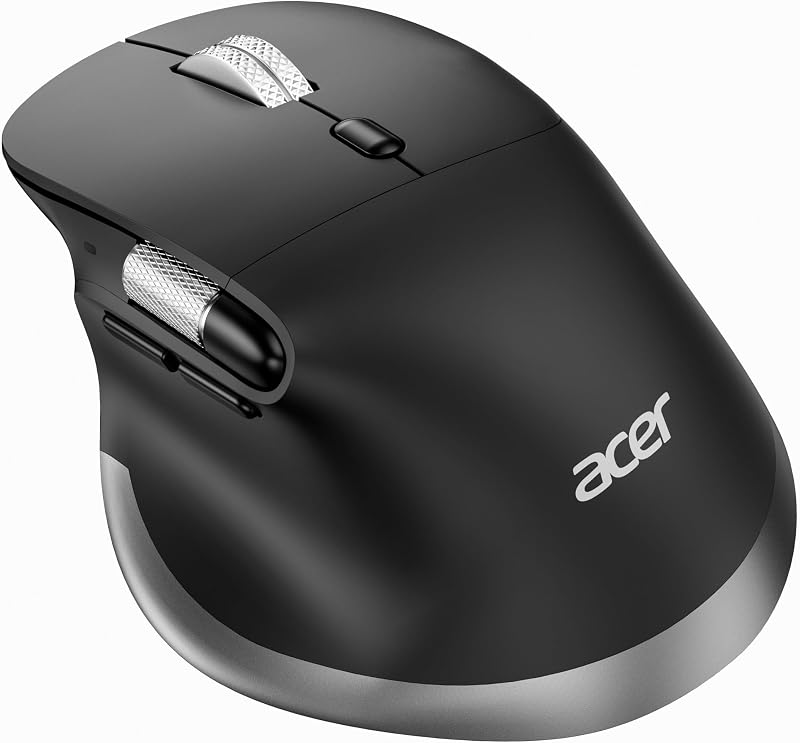
Productivity specialists navigating wide data sheets will appreciate the side scroll wheel, which provides immediate horizontal left-to-right page movement whenever a document exceeds display width. The manufacturer notes that this thumb wheel supports fixed horizontal navigation and is not programmable. Across its eight buttons, this acer ergonomic mouse wireless rechargeable peripheral also offers extensive tracking versatility with six adjustable DPI tiers: 800, 1200, 1600, 2400, 3200, and 4800 DPI, supporting everything from pixel-level graphics editing to rapid desktop maneuvering.
Versatile connectivity defines this acer bluetooth ergonomic mouse. Using the dedicated hardware mode switch button, operators can hop between three linked devices across 2.4GHz wireless and dual Bluetooth channels (BT1 and BT2). It functions across ChromeOS, Ubuntu Linux, Windows 11, and Mac computers. The mouse houses a built-in 500mAh lithium rechargeable cell that recharges through an accessible USB Type-C port, removing the hassle of disposable dry cells.
Acer Wired Gaming Mouse
- Best for Fast-paced PC gaming and macros
- Color Black
- Dimensions 4.7 x 2.9 x 0.1 inches
Pros
- High-precision 12,800 DPI sensor
- 8 programmable macro buttons
- Custom RGB with music sync
Cons
- Tethered 3-foot cable
- Configuration software unavailable on Mac
Departing from upright vertical office ergonomics, the Acer Wired Gaming Mouse prioritizes rapid tactile performance, low input latency, and palm comfort during extended entertainment sessions. Crafted with a contoured, mid-hand ergonomic silhouette, this mouse gives medium-sized hands a stable platform to rest on during long gaming or editing sessions. Because good posture extends through the entire seating area, pairing this peripheral with a supportive gtplayer ergonomic gaming chair creates an aligned, strain-free workstation.
Performance tracking is powered by an aggressive optical sensor offering four base hardware settings: 1200, 2400, 3200, and 6400 DPI, with up to 12,800 DPI unlockable via downloadable software. The sensor supports a 1000Hz polling rate, 20G acceleration, and 7000 frames-per-second scanning for instantaneous cursor responsiveness. It features eight programmable buttons that allow users to remap keystrokes, establish complex macros, and initiate rapid-fire triggers. Twelve customizable RGB lighting modes decorate the housing, featuring dynamic rainbow transitions and audio-reactive music synchronization.
Connectivity is purely corded, utilizing an ultra-flexible, drag-free braided paracord cable terminating in a standard USB-A connector with a 3-foot reach. This corded design means this acer wired gaming mouse never suffers from signal drops, low battery warnings, or recharging downtime. Onboard memory stores macro configurations directly on the peripheral. The mouse works across Windows, Linux, Chrome OS, and macOS, though the product listing notes that driver configuration tools are not available on Mac systems.
Acer Wireless Mouse for Laptop
- Best for Power users managing multiple computers
- Button Quantity 9
- Brand Acer
- Manufacturer acer
- Hand Orientation Right
- Color Black
Pros
- Real-time OLED battery screen
- Connects to 4 separate devices
- Ultra-quiet 35 dB silent clicks
Cons
- Heaviest model at 142 grams
- Dual receivers cannot run simultaneously
The Acer Wireless Mouse for Laptop serves as the most feature-dense productivity pointer in the lineup, tailored for demanding multi-screen professionals. Sized for medium to large hands and weighing 142 grams (5 ounces), it offers a reassuringly solid construction. The defining physical feature is an integrated OLED display screen located on the shell, giving users an immediate, real-time readout of remaining battery percentages to avoid surprise dropouts during busy workdays.
For quiet work environments, this pointer is engineered with ultra-quiet 35 dB silent click switches, allowing users to click and scroll freely in quiet libraries, shared family rooms, and corporate office spaces without causing distraction. Tracking precision is managed via five distinct sensitivity levels (1200, 1600, 2400, 3200, and 4000 DPI). Users can also customize five onboard programmable buttons using 16 built-in hardware presets directly on the mouse, completely bypassing the need to download third-party software suites.
Connectivity options are remarkably versatile. The unit supports three operational connection modes: 2.4GHz wireless, Bluetooth, and standard wired connection, enabling seamless pairing and switching across up to four devices. Acer supplies a combination USB-A and USB-C wireless receiver, though the listing notes both receiver ends cannot be operated simultaneously. Power is supplied by a 500mAh rechargeable battery that supports convenient use-while-charging over USB Type-C, making it a strong contender for the best acer ergonomic mouse for mobile professionals.
Chip values are fields copied from the Amazon product listing. Scores are out of 10, based on listed specifications and buyer feedback.
Matching a Model to Your Setup
- For budget-conscious office workers with larger hands: The Acer Ergonomic Mouse Wireless (57° Tilt) delivers a classic upright handshake posture, long-lasting 300mAh battery life, and reliable single-dongle 2.4GHz tracking without complex software.
- For desk setups needing heavier palm resistance and clear visual feedback: The Acer Ergonomic Mouse Wireless (58° Tilt) provides an anchored 116-gram chassis, a 500mAh battery, and flashing LED notifications that confirm sensitivity adjustments.
- For users with smaller hands managing multiple computers: The Acer Ergonomic Mouse Wireless with Side features a compact 87-gram body, dual Bluetooth pairing, and a 3-in-1 scroll wheel for horizontal document panning.
- For spreadsheet analysts and video editors working on wide monitors: The Acer Ergonomic Mouse Wireless Rechargeable offers a dedicated thumb-operated horizontal scroll wheel, USB-C recharging, and seamless three-device mode switching.
- For PC gamers and creative professionals needing zero input delay: The Acer Wired Gaming Mouse delivers a 12,800 DPI sensor, 8 programmable macro buttons, 1000Hz polling rate, and corded reliability with no battery recharging required.
- For shared workstations, libraries, and multi-platform workflows: The Acer Wireless Mouse for Laptop connects across four machines via Bluetooth, 2.4GHz, and cable, while keeping noise to a minimum with 35 dB silent switches and an informative OLED screen.
Before You Buy
Before purchasing an ergonomic peripheral, buyers must carefully evaluate connection requirements and operating system limitations. Several vertical models in this collection, specifically the 57-degree and 58-degree wireless units, rely solely on USB-A dongles and do not offer Bluetooth. If you use a thin modern laptop that features only USB Type-C ports, you will need an external adapter to insert the receiver. Furthermore, while these basic vertical pointers connect to macOS machines for standard cursor tracking, their forward and backward thumb buttons do not operate under Mac operating systems. Shoppers interested in brand alternatives can also review our ugreen wireless mouse overview to compare general ergonomic receiver designs.
It is equally critical to understand power specifications and physical adaptation. The Acer Ergonomic Mouse Wireless with Side operates on replaceable AAA batteries, but the listing confirms that batteries are not included in the retail box. Conversely, the rechargeable models utilize internal lithium cells that recharge over USB cables. Every vertical mouse listed requires an adjustment window of one to two weeks. Because an upright mouse recruits different forearm muscles than a traditional flat mouse, mild initial unfamiliarity is standard as your wrist adapts to the natural handshake posture.
FAQ
How long does it take to adapt to an Acer vertical mouse?
According to the product listings, users should expect an adaptation window of one to two weeks when transitioning to an upright vertical mouse. Because the 57-degree to 59-degree tilt rotates the forearm into a neutral handshake position, the tendons and small muscles in your hand need time to grow comfortable with clicking at an angle.
Can an Acer ergonomic mouse connect to Apple Mac computers?
Basic cursor tracking and standard left and right clicks function across Mac systems for most models, but functionality varies by model. The 57-degree and 58-degree wireless models state that their forward and backward thumb side buttons do not work on macOS, and the wired gaming model lacks Mac software configuration support. However, multi-mode models like the Acer Ergonomic Mouse Wireless Rechargeable and the multi-device Acer Wireless Mouse for Laptop offer broad cross-platform support.
What hand sizes work best across the Acer ergonomic mouse lineup?
Acer specifically categorizes its ergonomic mouse range by palm size. The 57-degree vertical wireless mouse, the 58-degree vertical wireless model, the rechargeable horizontal scroll mouse, and the multi-device OLED wireless mouse are all explicitly shaped for medium to large hands. In contrast, the Acer Ergonomic Mouse Wireless with Side is intentionally contoured for users with small to medium hands, offering a more compact 87-gram form factor.
Which Acer ergonomic mouse features a dedicated side scroll wheel?
Two models incorporate secondary side scroll wheels under the thumb. The Acer Ergonomic Mouse Wireless with Side features a 3-in-1 multi-function wheel that toggles between window switching, zooming, and horizontal scrolling. The Acer Ergonomic Mouse Wireless Rechargeable features a dedicated thumb wheel specifically calibrated for horizontal left-and-right scrolling across wide spreadsheets, timelines, and oversize web pages.
How do the wireless sleep modes work on Acer mice?
To conserve internal battery power, several Acer wireless models feature an automatic sleep timer that engages after 10 minutes of complete inactivity. On the 57-degree and 58-degree vertical models, users wake the mouse by double-clicking any primary button. On the multi-device Acer Wireless Mouse for Laptop, simply moving the mouse wakes the optical sensor and turns on the OLED status display.